![wellnesscoach-full-white-inline (4).png]](https://customer.wellnesscoach.live/hs-fs/hubfs/wellnesscoach-full-white-inline%20(4).png?height=40&name=wellnesscoach-full-white-inline%20(4).png)
Global Search makes it easy to find anything in Wellness Coach — content, coaches, programs, and more — from a single search bar. Instead of browsing through each section one by one, simply type a keyword describing what you're looking for, such as a topic, activity, or goal, and matching results will appear instantly from across the platform.
You can narrow your results using filters, or turn to the built-in AI Coach for personalized suggestions related to your search.
Step-by-Step Guide
Step 1: Open Global Search
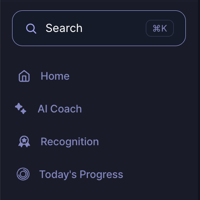
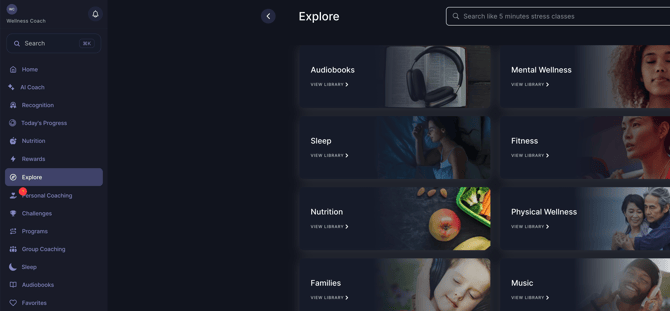
From any page in Wellness Coach, click the search bar at the top of the screen (or the Search field in the left navigation bar). A search pop-up window will open.
Step 2: Search by Keyword
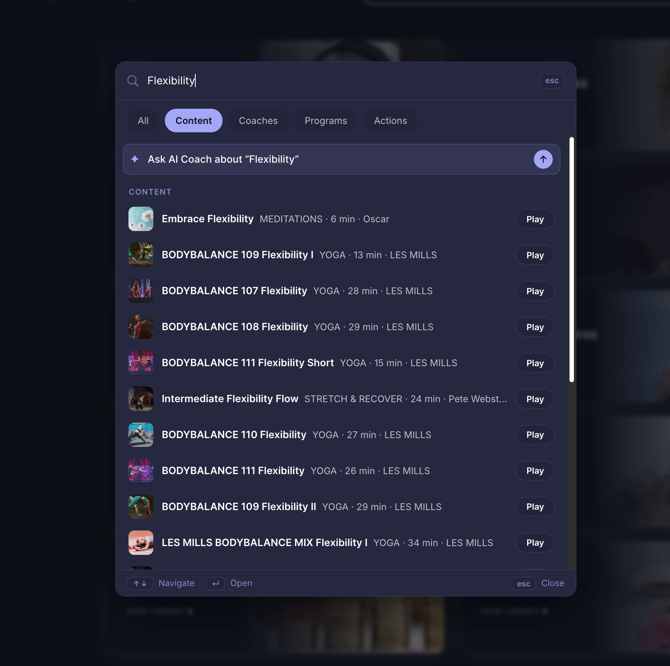
In the pop-up window, type a keyword or short phrase describing what you need. For example, if you're looking for content and coaches related to flexibility and body movement, type “Flexibility.”
Before you start typing, the pop-up also shows your recent searches, tabs to browse by category, and a prompt to ask the AI Coach — so you can jump back into a past search or explore a topic without typing anything at all.
Filter Your Results
Once you've typed a keyword, use the filter tabs at the top of the results to narrow what you see:
- All — shows every type of matching result together
- Content — classes, meditations, workouts, and other media
- Coaches — coaches whose specialties match your search
- Programs — structured programs related to your search
- Actions — quick actions you can take directly from search
Ask the AI Coach for More
For extra tips or a more personalized answer, select the “Ask AI Coach about…” option shown above your results. The AI Coach is integrated directly into search, so you can get guidance without leaving the search window.
Tip: Global Search covers the whole platform at once, so it's usually the fastest way to find something — no need to know which section it lives in first.
Support
Live Video Support
Schedule a live support session with our team for real-time, face-to-face help whenever you need it.
Learn more about how to book
[Book live support]
Email Support
Reach out to support@wellnesscoach.live for assistance. This contact is also available directly inside the app. Responses may take up to 24 hours.
[Email us]