![wellnesscoach-full-white-inline (4).png]](https://customer.wellnesscoach.live/hs-fs/hubfs/wellnesscoach-full-white-inline%20(4).png?height=40&name=wellnesscoach-full-white-inline%20(4).png)
1. Watch Tutorial Video here
2. Access Guide Flyer here
Step-by-Step Guide: How to Join Wellness Programs
Note: While the screenshots below show the desktop app, you can follow the exact same steps on your phone using the mobile app.
-
Open the Wellness Coach app and scroll to the bottom of the page until you find "Programs" and tap on View All or Browse.
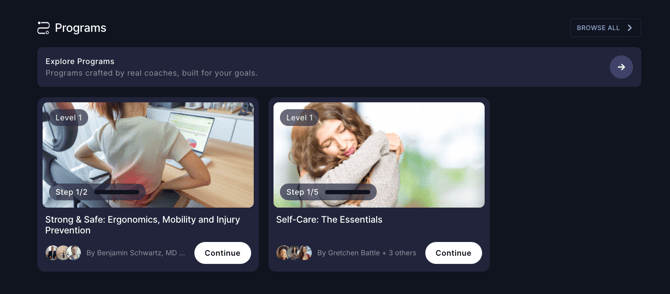
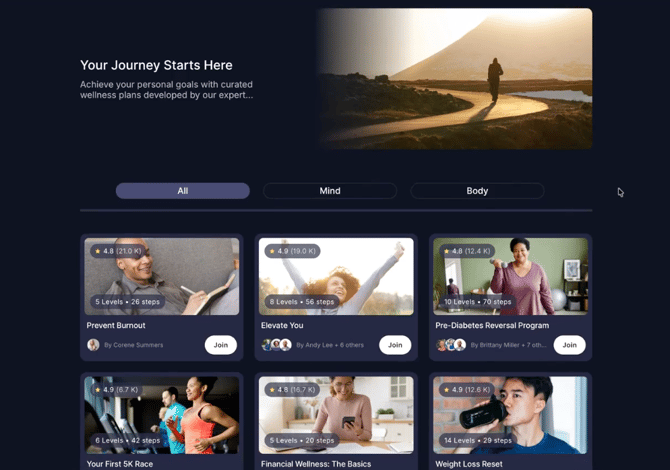
- Explore expert-designed Wellness Programs tailored to your personal goals. Tap Join on any program to preview its overview.
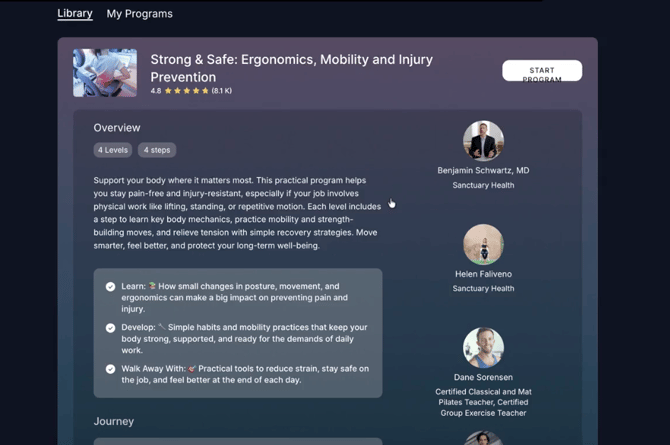
- Review the program overview, see the journey broken down by levels (including videos and coaches), then click Start Program to begin.
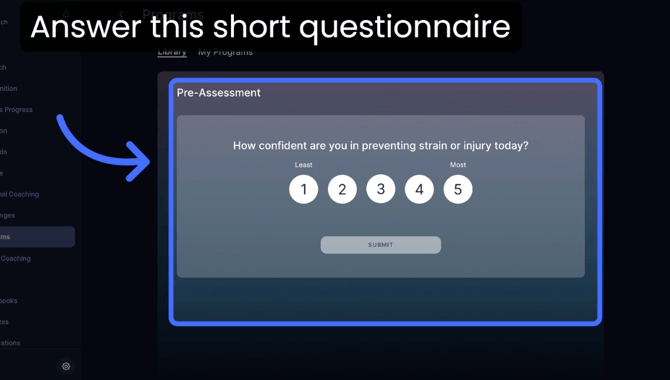
- Answer the brief questionnaire to unlock your program.
- You're ready to go! Just click the first session to get started. Completing each session will unlock the next one.
Note: Remember, programs are self-paced, so you can progress at whatever time fits your schedule.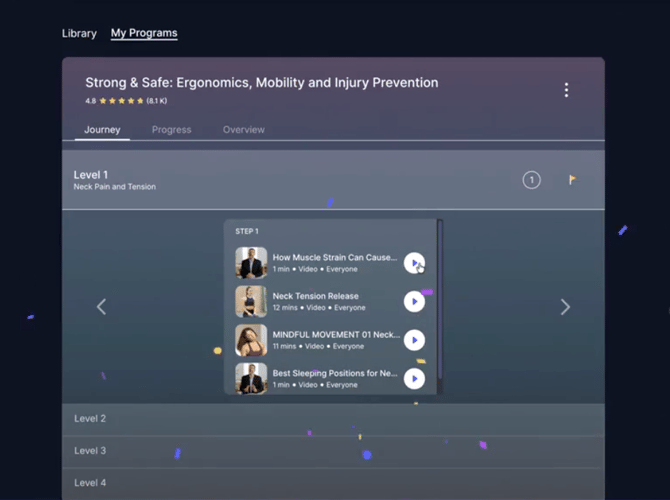
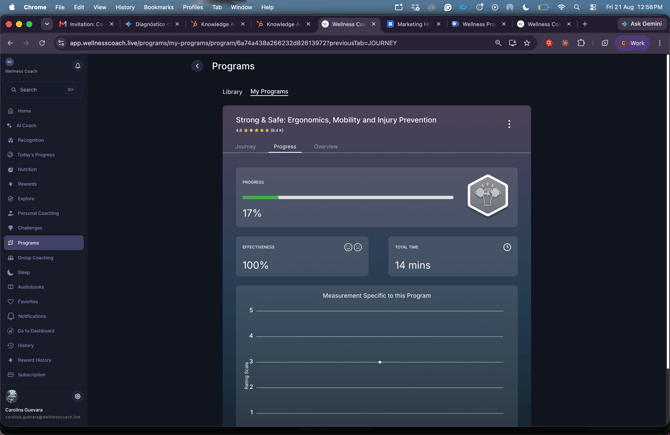
- Tap Progress to track your progress throughout the program.
Support
Live Video Support
Schedule a live support session with our team for real-time, face-to-face help whenever you need it.
Learn more about how to book
[Book live support]
Email Support
Reach out to support@wellnesscoach.live for assistance. This contact is also available directly inside the app. Responses may take up to 24 hours.
[Email us]