![wellnesscoach-full-white-inline (4).png]](https://customer.wellnesscoach.live/hs-fs/hubfs/wellnesscoach-full-white-inline%20(4).png?height=40&name=wellnesscoach-full-white-inline%20(4).png)
Step-by-Step Guide: Sign Up with your Employee or Member ID
1. Click here or head to the App Store if you're using an iOS device, or the Google Play Store for Android users. Search for Wellness Coach and download the app to your smartphone or tablet.
2. After installing the app, open it. You'll be prompted to enter the Name of your Organization or Company.
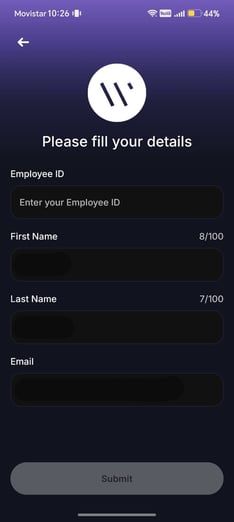
3. Create an account using your Employee ID number, First Name, Last Name, and email. This step helps ensure you're part of your organization's community.
.jpeg?width=235&height=525&name=WhatsApp%20Image%202026-09-15%20at%2010.33.53%20(1).jpeg)
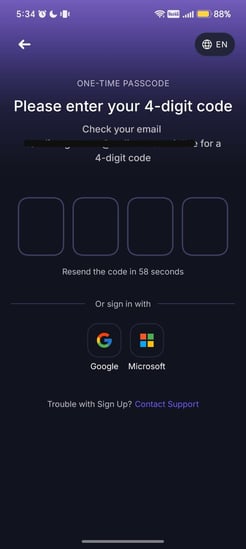
4. After setting up your information, enter the 4-digit code sent to your email.
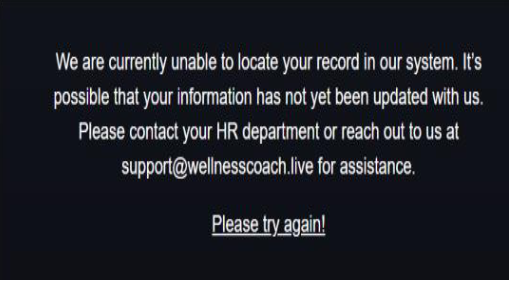
Note: If you encounter the following or a similar error and you are a new hire, it may mean that you have not yet been added to the eligibility file. Eligibility files are typically updated and pushed weekly.
Please allow up to 7 business days for your information to be added, then try logging in again. If you are still unable to access your account, please contact Support so we can check your eligibility status.
5. [Optional] Set up Face ID for quick access next time;
.jpeg?width=246&height=550&name=WhatsApp%20Image%202026-09-15%20at%2010.33.53%20(3).jpeg)
Once you've completed these steps, you're all set to dive in and start exploring the app!
At the moment of logging in, our system automatically detects your location and sets the app to the local language, allowing you to get started seamlessly.
What happens if you can't find your account?
Automatic Account Migration: Don't worry if you accidentally use your personal email. We'll automatically connect your personal email to your work account so get access to your company's sponsored Wellness Coach plan.
Support
Live Support
Schedule a live support session with our team for real-time, face-to-face help whenever you need it.
Learn more about how to book
[Book live support]
Email Support
Reach out to support@wellnesscoach.live for assistance. This contact is also available directly inside the app. Responses may take up to 24 hours.
[Email us]