![wellnesscoach-full-white-inline (4).png]](https://customer.wellnesscoach.live/hs-fs/hubfs/wellnesscoach-full-white-inline%20(4).png?height=40&name=wellnesscoach-full-white-inline%20(4).png)
Step-by-Step Guide: Create Care Plan
Note: While the screenshots below show the desktop app, you can follow the exact same steps on your phone using the mobile app.
There are two ways to set up your Care Plan
-
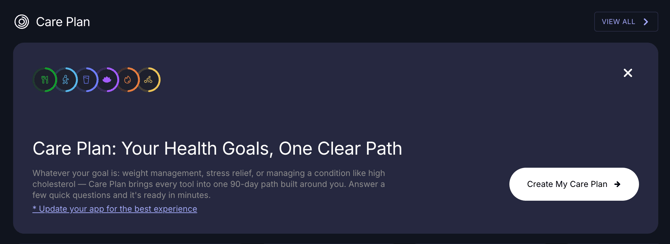
From the home screen, on your Today's Progress card, tap "Create My Care Plan."
-
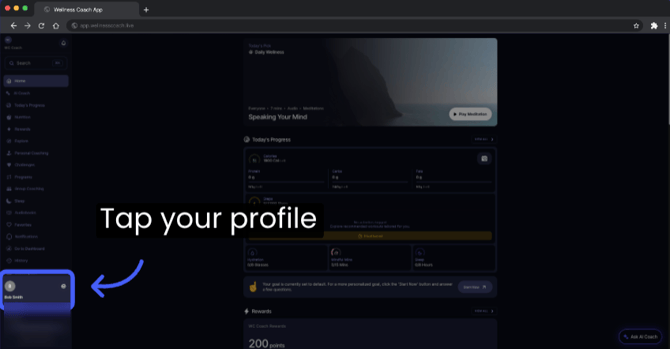
Or go to your Profile
-
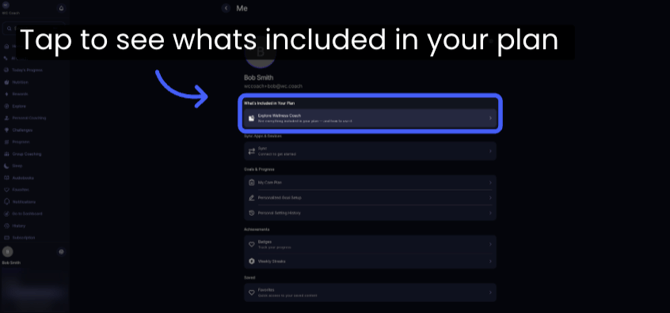
Tap "What's Included in Your Plan"
-
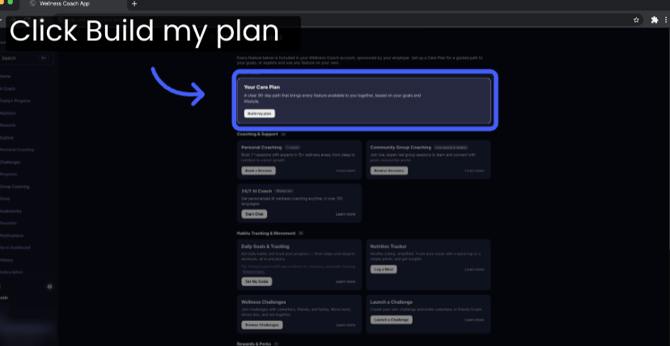
The first card you'll see is Care Plan, tap "Build My Plan" to get started.
-
Next, you'll answer a short questionnaire, food allergies, dietary preferences, and any health conditions.
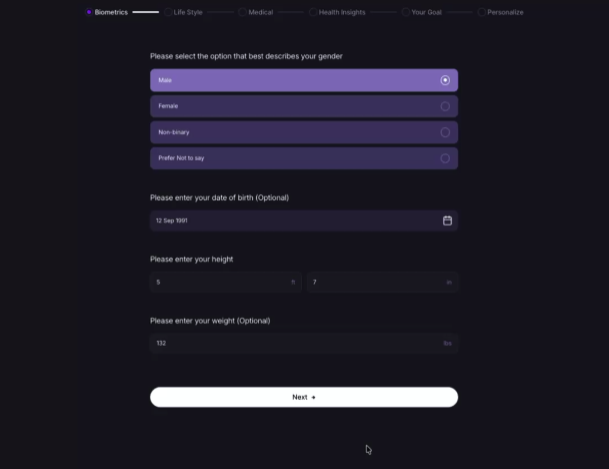
Note: The more information you provide, the more complete and tailored your Care Plan will be to your specific needs and habits. -
Upload your blood test results: To get a more tailored, clinically backed plan, upload your latest blood test results.
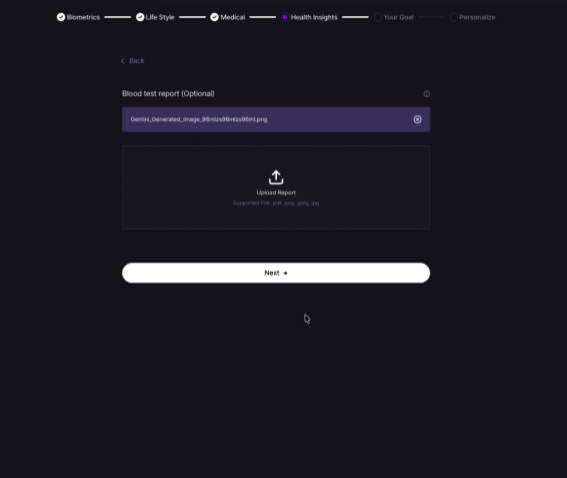
Note: While this step can be skipped, providing this data allows us to build recommendations specifically around your body's clinical needs.
-
Before you finish, you'll see a preview of what's ahead: your Today card with your daily goal recommendations, your Week's Workouts card, and your weekly plan to help you organize the week ahead.
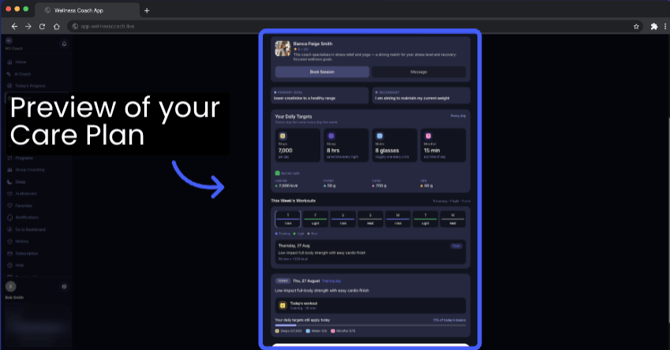
Note: These goals get recalibrated weekly based on your performance, so don't worry — it adjusts to your pace. -
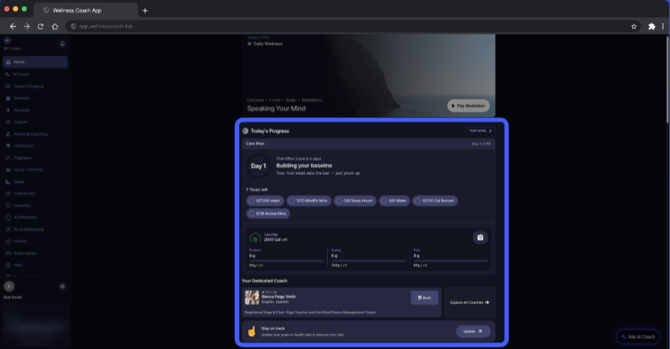
Once complete, you’ll be redirected to your Home Screen, where you can view today’s date and your daily task list.
-
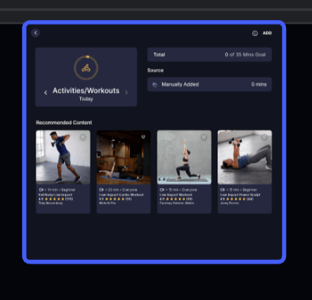
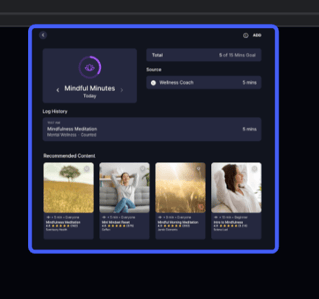
Tap into any task to see a full breakdown of your tracking and receive recommendations tailored to your plan.
-
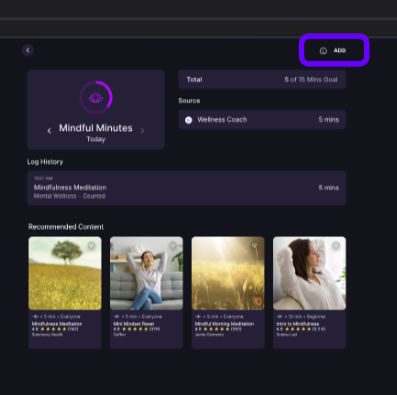
Missed a entry? Open any task and tap + Add in the top-right corner to log your activity manually.
-
You'll also see your recommended coach match, based on your health data and goals. Want to look at other options? Tap Explore All Coaches.

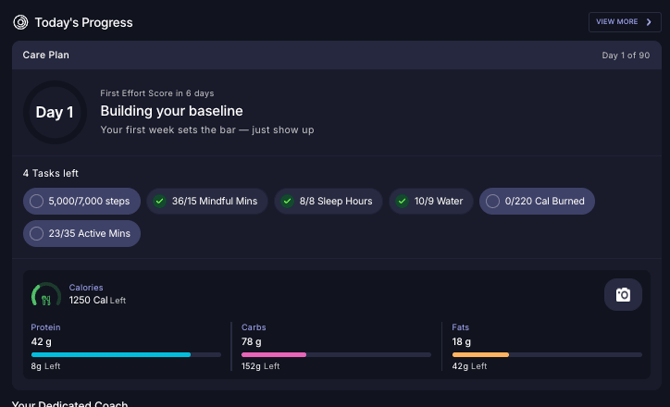
- As you complete your daily habit goals throughout the day, your progress card will automatically update to reflect your achievements.
-
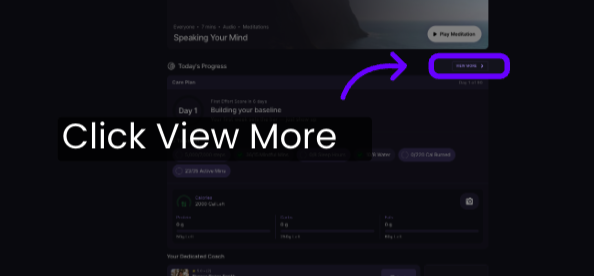
Tap "View More" for a detailed overview of your plan
-
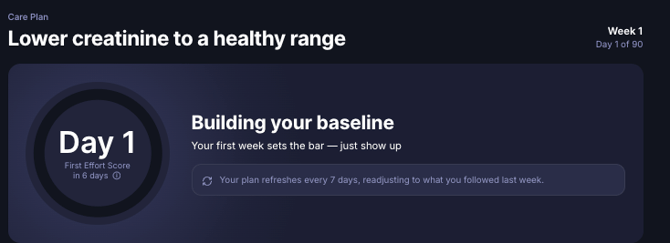
At the top, you'll find your Effort Score: a measure of your engagement, effort, and follow-through. This score refreshes every week based on how you did the week before.
In the How Your Plan's Going section, you'll find your Body Response and your Health Score. Your Health Score is assigned once you finish the questionnaire and upload your blood test results — giving you a general score based on your data.
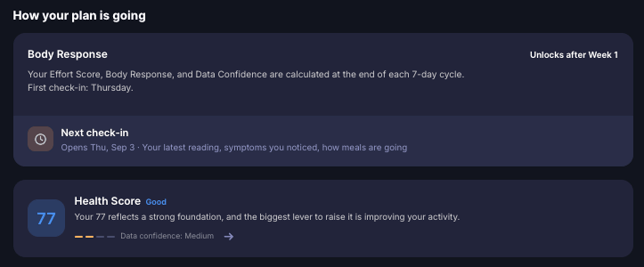
Note: Your score will stay locked for the entire 90-day plan. When your plan finishes, you’ll retake and upload your blood test to see your progress side-by-side with your baseline data—giving you clear, clinical proof of your hard work! -
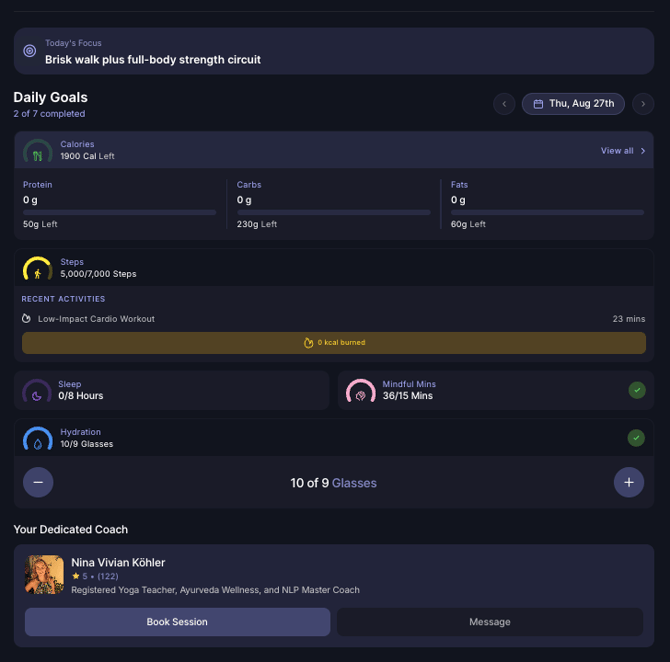
Below your score, you’ll see your tracking activities again—matching the view on your Home Screen.
How to cancel your plan:
-
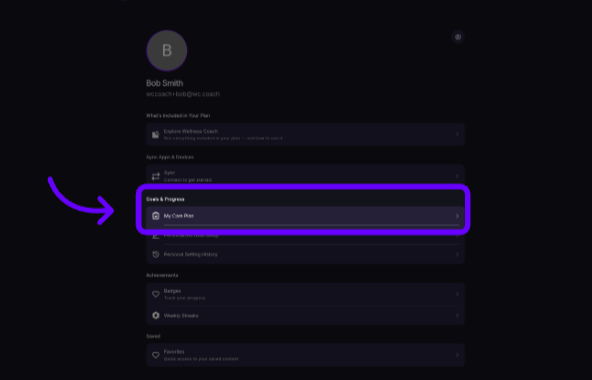
You can cancel your plan at any moment — whether you're too busy or want to change your goals. Just tap "Me"
-
Tap "My Care Plan"
-
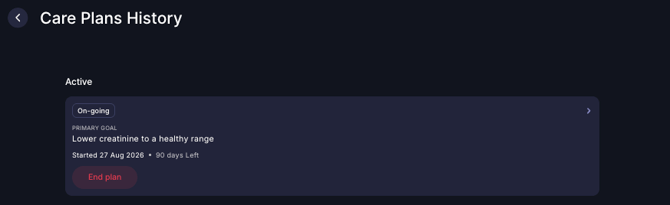
Tap the red "End plan" button. Repeat the first steps to set it up again whenever you want to set up your Care Plan.
Other Helpful Links:
-
How to manually add Activities and Workouts on the Wellness Coach app?
-
Which devices can be used to track steps?
Support
Live Video Support
Schedule a live support session with our team for real-time, face-to-face help whenever you need it.
Learn more about how to book
[Book live support]
Email Support
Reach out to support@wellnesscoach.live for assistance. This contact is also available directly inside the app. Responses may take up to 24 hours.
[Email us]