![wellnesscoach-full-white-inline (4).png]](https://customer.wellnesscoach.live/hs-fs/hubfs/wellnesscoach-full-white-inline%20(4).png?height=40&name=wellnesscoach-full-white-inline%20(4).png)
Make sure you have:
- An iPhone with the Fitness app installed.
- Apple Health permissions turned on for Fitness.
- Wellness Coach connected to Apple Health.
Step 1: Set Up the Fitness App on Your iPhone
- Open the Fitness app on your iPhone.
- Tap Continue.
- Enter your personal information when prompted.
- Complete the setup process.
The Fitness app allows you to view activity progress, steps, distance, and completed workouts directly from your iPhone.
Step 2: Enable Fitness Data in Apple Health
To make sure your activity data is available for Wellness Coach:
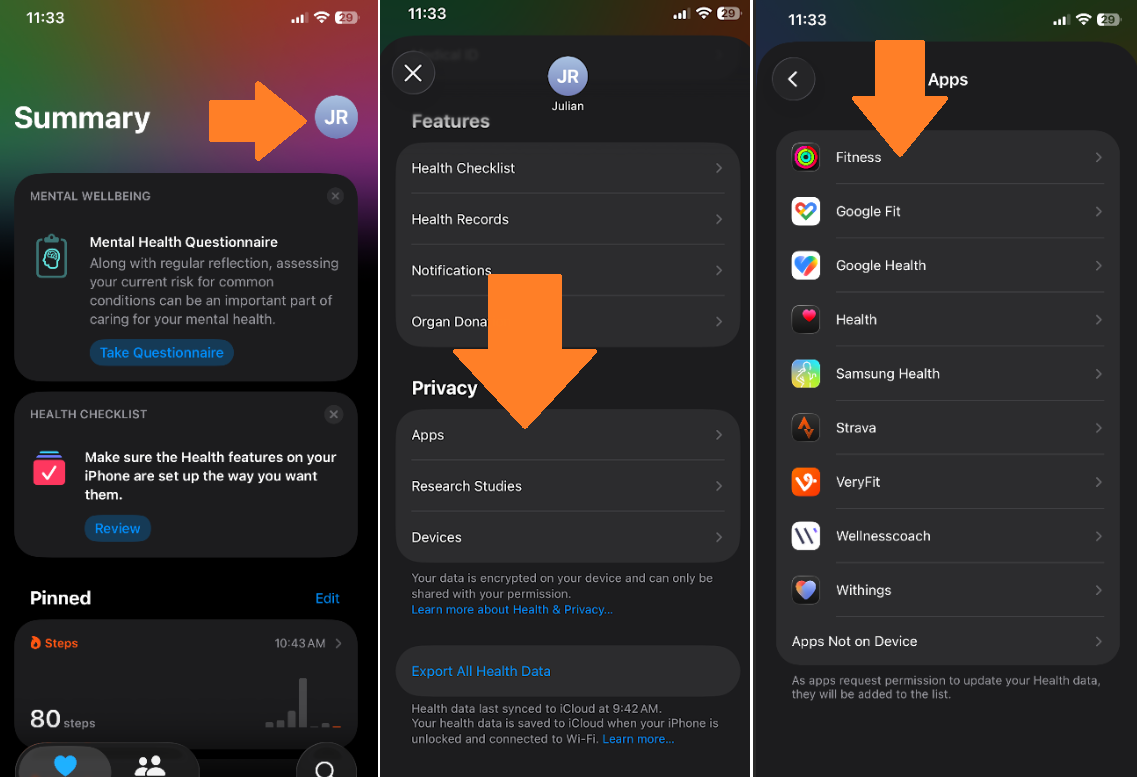
- Open the Health app on your iPhone.
- Tap your profile picture in the top-right corner.
- Select Apps.
- Tap Fitness.
- Turn on the permissions you want to share, including activity-related data.
Step 3: Connect Apple Health to Wellness Coach
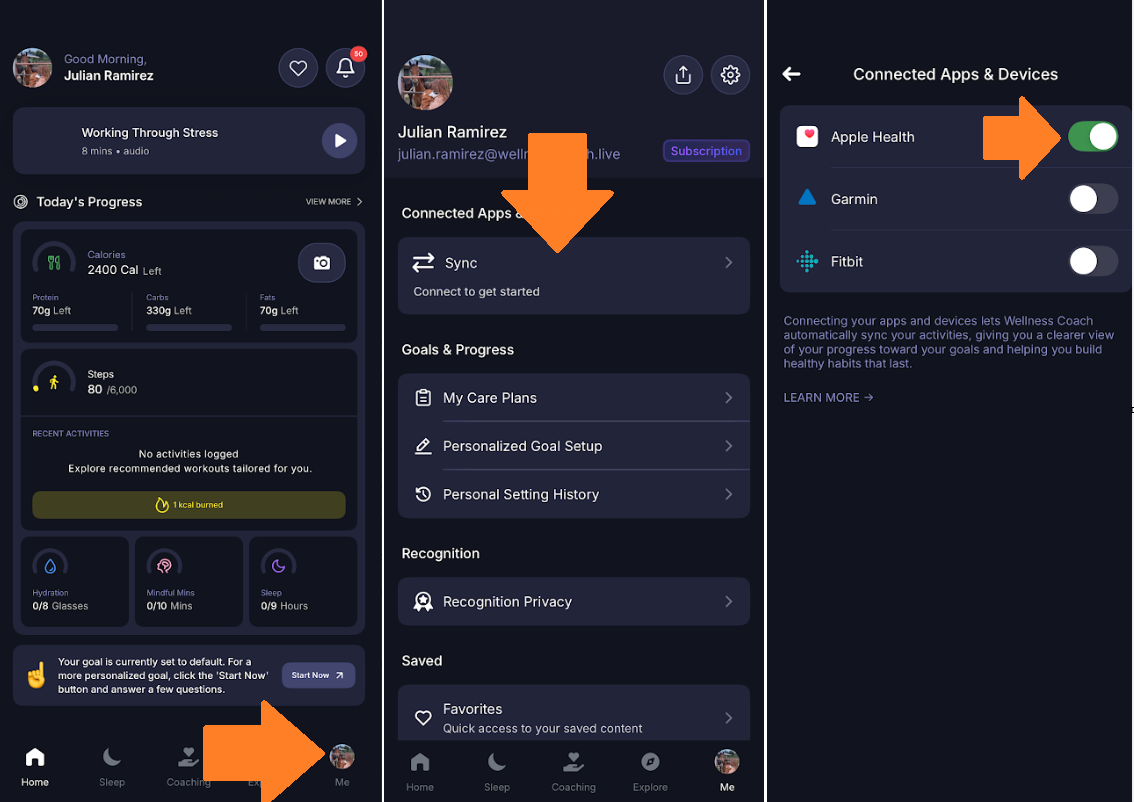
- Open the Wellness Coach app.
- Tap Me in the bottom-right corner.
- Tap Sync.
- Select Apple Health.
- Turn on the connection and allow the requested permissions.
Once connected, Wellness Coach will begin receiving eligible activity data from Apple Health.
Important Tip:- If your data is not syncing, try disconnecting and reconnecting Apple Health through the Wellness Coach app.
Got questions or facing any issues? Send us a message at support@wellnesscoach.live. We're here to help!