![wellnesscoach-full-white-inline (4).png]](https://customer.wellnesscoach.live/hs-fs/hubfs/wellnesscoach-full-white-inline%20(4).png?height=40&name=wellnesscoach-full-white-inline%20(4).png)
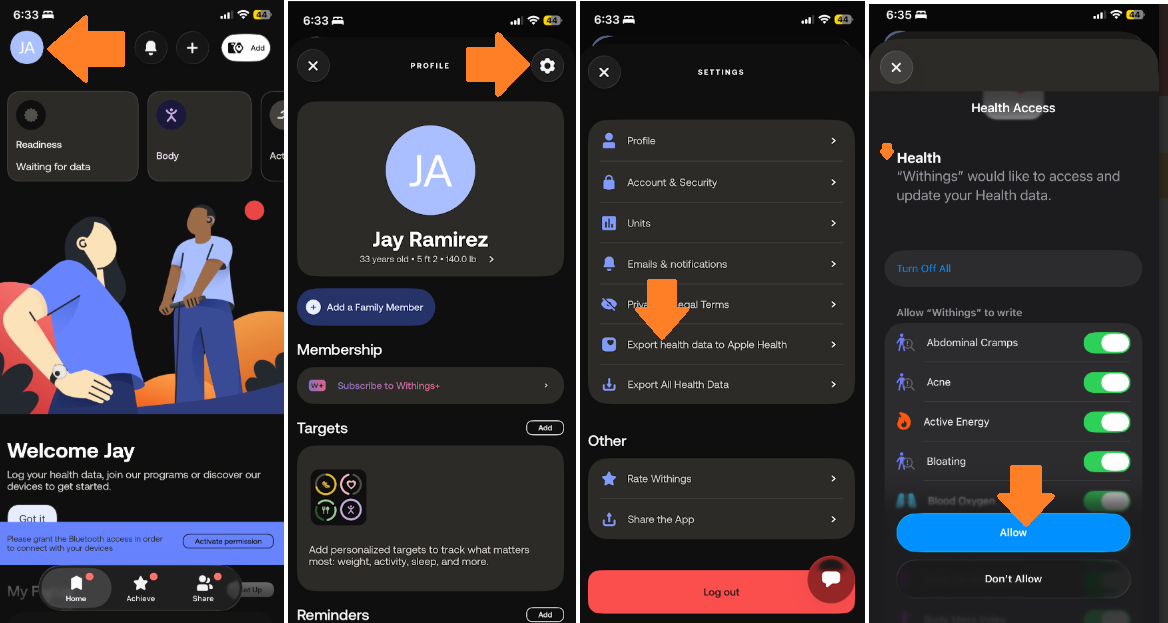
To sync your Withings data with Apple Health, enable the integration inside the Withings app to grant read and write permissions. Here is how:
- Open the Withings app.
- Tap your Profile (icon usually located in the top-left or bottom right corner of the home screen).
- Tap on Settings (Gear Icon)
- Tap Export Health data to Apple Health.
- Follow the steps and make sure to accept all permissions.
If you are noticing synchronization delays, you can verify your device permissions manually through iOS:
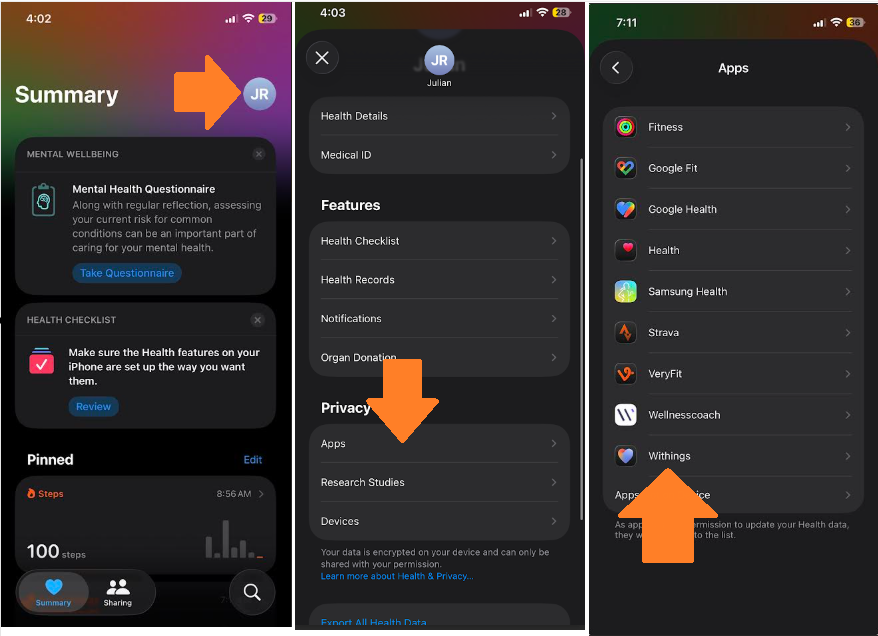
- Open Apple Health app and tap on your Profile icon (Top right corner)
- Scroll down to Apps.
- Select the Withings app and ensure all required metric switches are toggled to the ON position
Still Need Help? If you continue to have trouble, our support team is happy to assist. Email: support@wellnesscoach.live