![wellnesscoach-full-white-inline (4).png]](https://customer.wellnesscoach.live/hs-fs/hubfs/wellnesscoach-full-white-inline%20(4).png?height=40&name=wellnesscoach-full-white-inline%20(4).png)
Note: You will need at least 2 coaching credits available to book a leadership coaching session.
1. Watch Tutorial Video here
2. Access Guide Flyer here
Step-by-Step Guide: How to Book a Session
Note: While the screenshots below show the desktop app, you can follow the exact same steps on your phone using the mobile app.
- Tap Personal Coaching on your home screen (on the lower navigation bar for mobile).
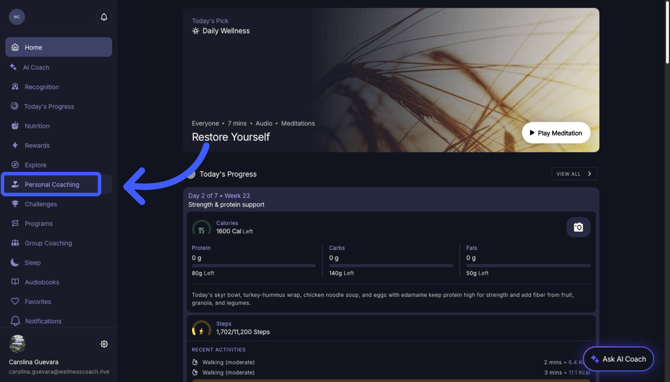
- Check Credits: Look at the top right corner to see your available credits and renewal date.
⚠️ Important: Credits do not roll over. Use them before they expire!
- In the Category section, select Leadership Coaching.
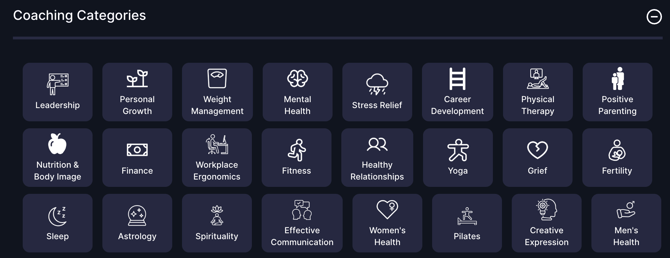
Note: If you don't see it, it means this category is not part of your employee benefit plan.
- Explore their profile to see ratings, credentials, and their overview.
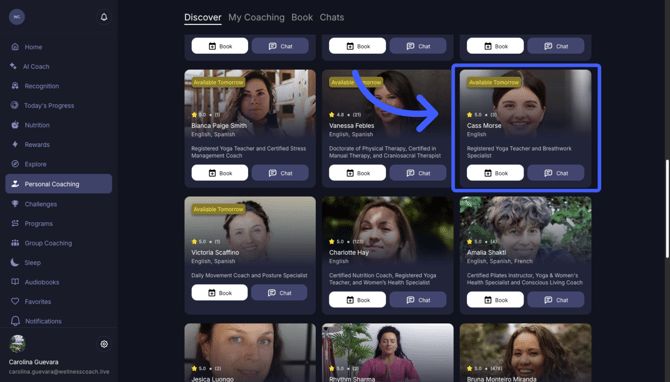
-
Once you are happy with a coach, click "Book", select a time and date, and click "Book Session"
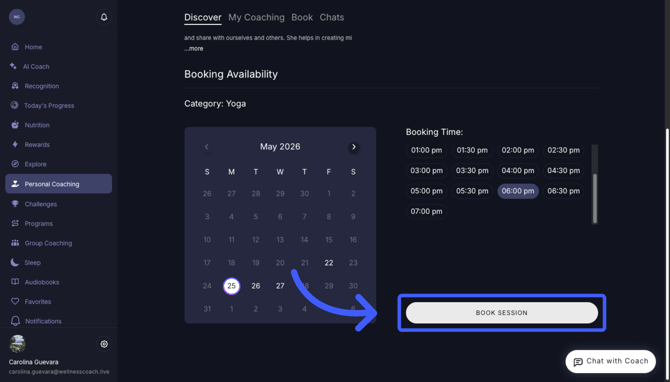
- Select the Duration:
30-minute session = 1 credit
60-minute session = 2 credits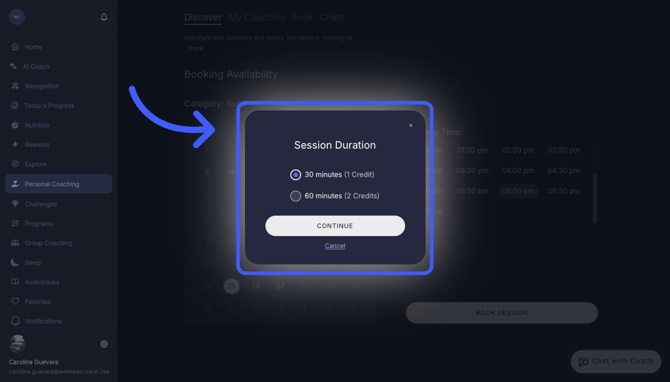
-
Review Details & Privacy.
A pop-up will appear to review final details.
- Share Health Data: You can privately share your activity, workouts, sleep, biometrics, nutrition, and AI meeting summaries to give your coach better insights.
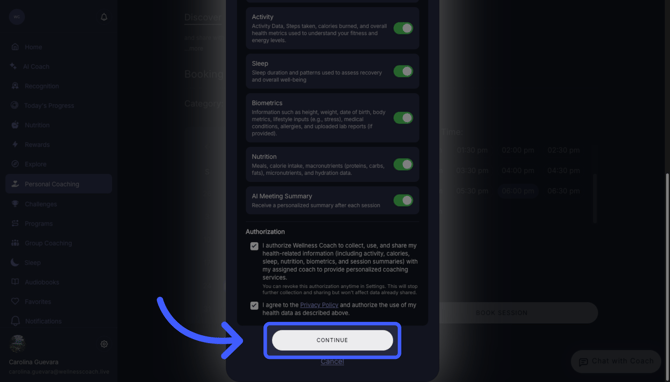
- Finalize: Click on "Authorizations", agree to the privacy policy, and click "Continue".
Learn more about Health Data Sharing here.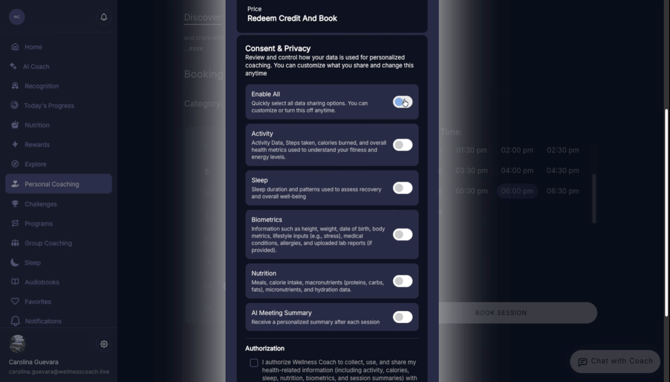
-
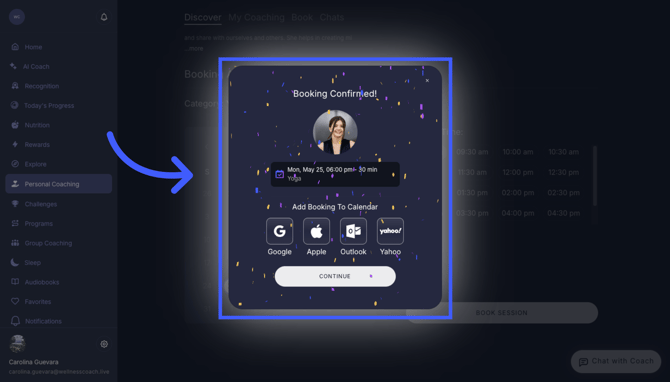
Your booking is confirmed! Make sure to add it to your calendar so you don't miss it. You will receive an email before the meeting.
Extra: How to Cancel
Go to "My Coaching" to see your upcoming sessions and select the option to cancel.
- Note: Make sure to cancel at least 24 hours before your session.
Other Resources:
- Learn all the capabilities and assistance for Personal Coaching
- Chat with the Coaches before your session, and fill out the questionnaire.
- How to prepare for my Personal Coaching Session?
- How do I join my Personal Coaching Session?
- Sharing health data and daily habits directly with your coaches.
Support
Live Video Support
Schedule a live support session with our team for real-time, face-to-face help whenever you need it.
Learn more about how to book
[Book live support]
Email Support
Reach out to support@wellnesscoach.live for assistance. This contact is also available directly inside the app. Responses may take up to 24 hours.
[Email us]