![wellnesscoach-full-white-inline (4).png]](https://customer.wellnesscoach.live/hs-fs/hubfs/wellnesscoach-full-white-inline%20(4).png?height=40&name=wellnesscoach-full-white-inline%20(4).png)
1. Watch Tutorial Video here
2. Access Guide Flyer here
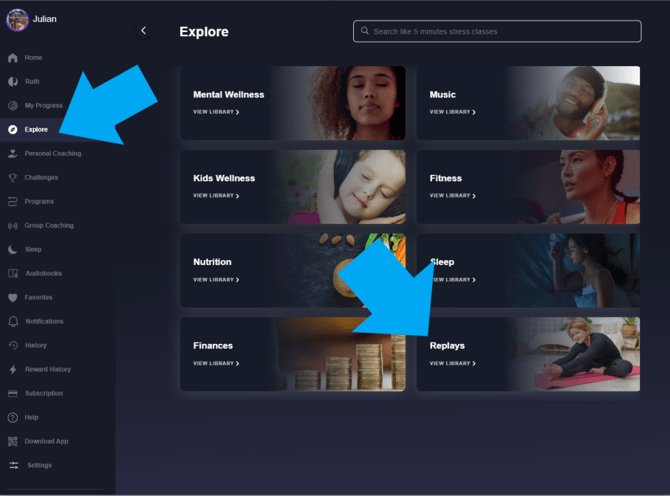
If you miss a Live Group Coaching Session, the recording (or "Replay") might be uploaded to the Wellness Coach App within 2 business days. You can access it from the home screen's "Replays" section or find it under its respective wellness category in the Explore tab. NOTE: not all Replays will be added to the app.
Step-by-Step Guide: How to Join a Session
Note: While the screenshots below show the desktop app, you can follow the exact same steps on your phone using the mobile app.
- Open the Wellness Coach App and tap the Group Coaching Tab, or scroll down on the home page and look for the Group Coaching section.
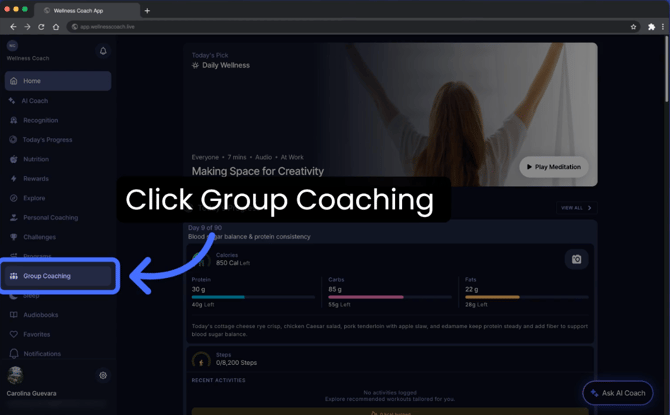 Note: Enjoy weekly live sessions, bite-sized workshops, and guided meditations with your peers—with no complicated setup required.
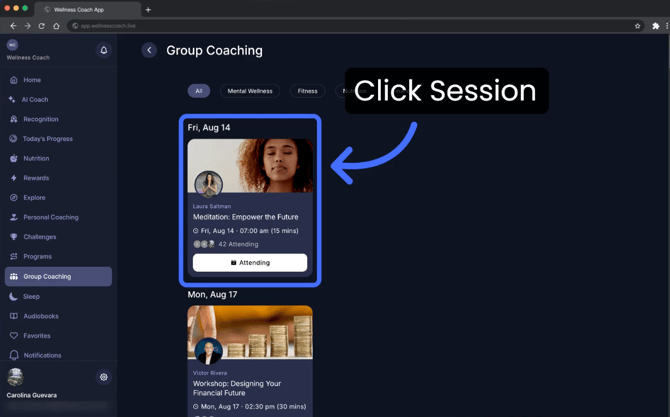
 - Dive into live, expert-guided community sessions, free for everyone. Whenever you would like to attend a session, click on the session to vie overview
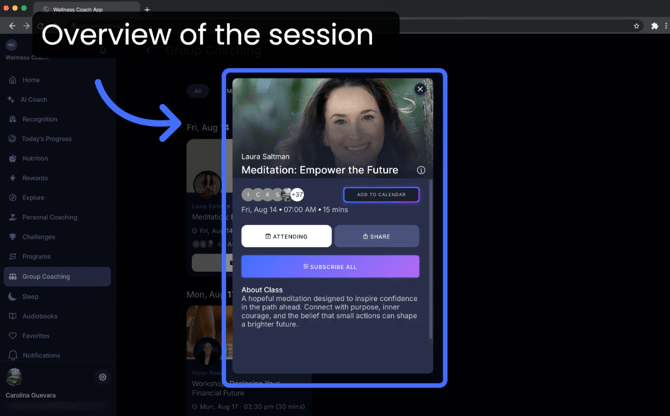
- In the pop-up, you can view the full session details, click "Attending" to reserve your spot, and add the event to your calendar so you don't miss it.
Missed a session? You can find it in our Replays section.
Support
Live Video Support
Schedule a live support session with our team for real-time, face-to-face help whenever you need it.
Learn more about how to book
[Book live support]
Email Support
Reach out to support@wellnesscoach.live for assistance. This contact is also available directly inside the app. Responses may take up to 24 hours.
[Email us]