![wellnesscoach-full-white-inline (4).png]](https://customer.wellnesscoach.live/hs-fs/hubfs/wellnesscoach-full-white-inline%20(4).png?height=40&name=wellnesscoach-full-white-inline%20(4).png)
1. Watch Tutorial Video here
2. Access Guide Flyer here
Step-by-Step Guide: Booking a session
Note: While the screenshots below show the desktop app, you can follow the exact same steps on your phone using the mobile app.
-
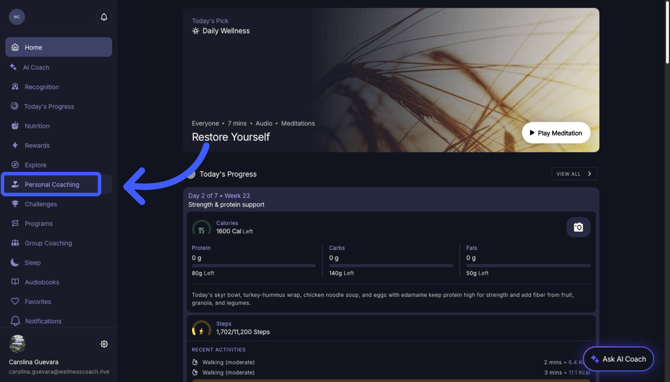
On your home page, go to the sidebar and tap Personal Coaching (or use the lower navigation bar on mobile).
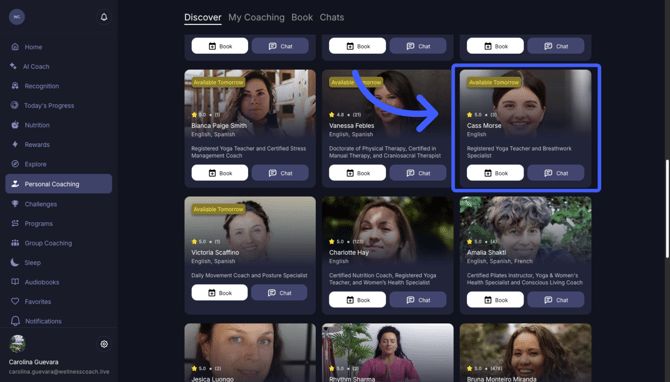
- Explore a coach's profile to view their ratings, credentials, and overview, then select one.
-
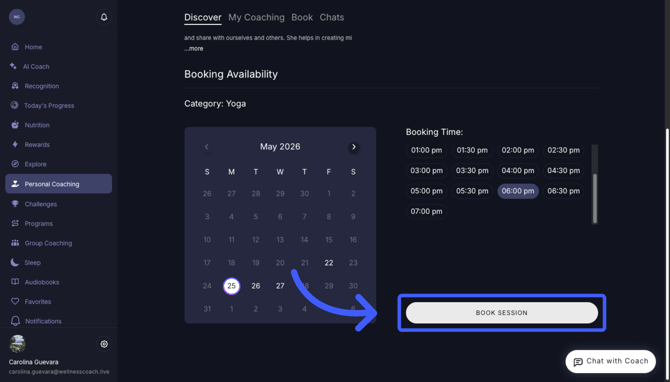
Once you are happy with a coach, click "Book", select a time and date, and click "Book Session".
- Select the duration:
30-minute session = 1 credit
60-minute session = 2 credits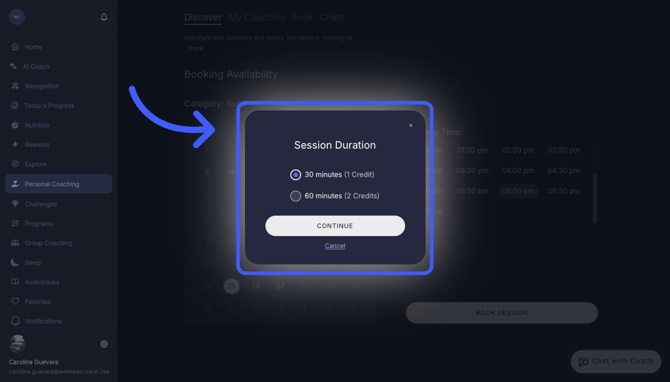
- Before confirming your booking, a pop-up detailing health data and privacy policies will appear. You can choose to privately share your activity, workouts, sleep, biometrics, nutrition, and AI meeting summaries to give your coach better insights.
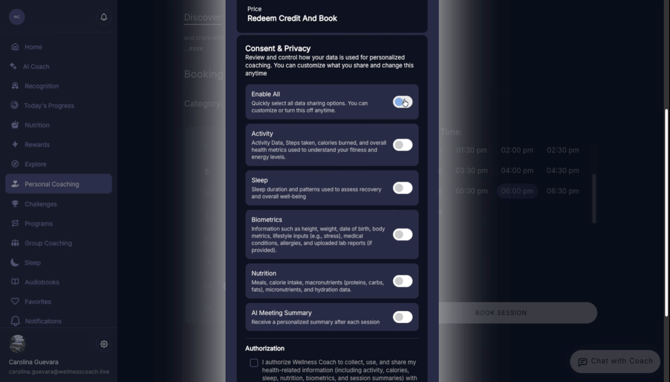
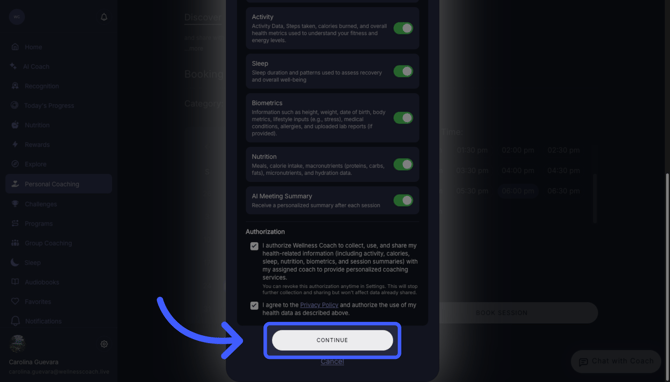
Finalize: Click on "Authorizations", agree to the privacy policy, and click "Continue".
Learn more about Health Data Sharing here. -
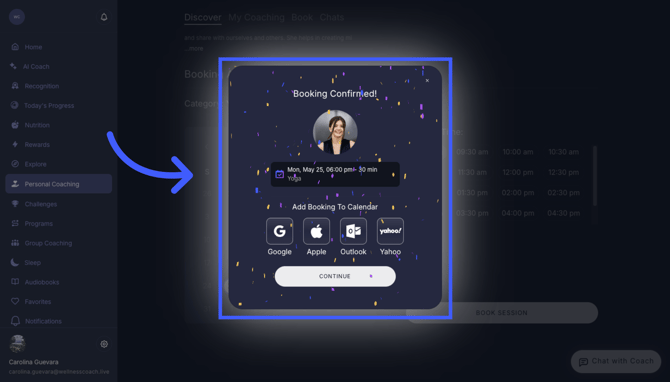
Your booking is confirmed! Make sure to add it to your calendar so you don't miss it. You will receive an email before the meeting.
-
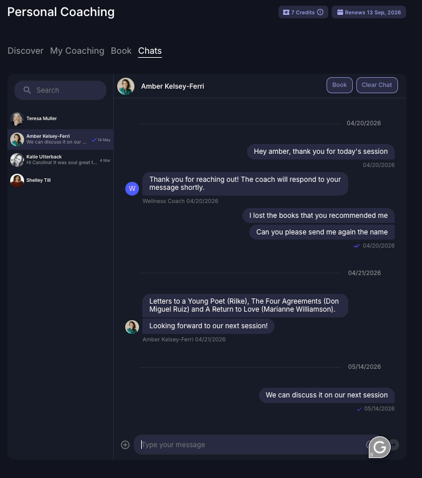
You can reach your coach directly via in-app chat. Some coaches have chat enabled for quick check-ins, availability questions, or general messaging.
Extra: How to Cancel
Go to "My Coaching" to see your upcoming sessions and select the option to cancel.
- Note: Make sure to cancel at least 24 hours before your session.
Other Resources:
- Learn all the capabilities and assistance for Personal Coaching
- Chat with the Coaches before your session, and fill out the questionnaire.
- How to prepare for my Personal Coaching Session?
- How do I join my Personal Coaching Session?
- Sharing health data and daily habits directly with your coaches.
Support
Live Video Support
Schedule a live support session with our team for real-time, face-to-face help whenever you need it.
Learn more about how to book
[Book live support]
Email Support
Reach out to support@wellnesscoach.live for assistance. This contact is also available directly inside the app. Responses may take up to 24 hours.
[Email us]