![wellnesscoach-full-white-inline (4).png]](https://customer.wellnesscoach.live/hs-fs/hubfs/wellnesscoach-full-white-inline%20(4).png?height=40&name=wellnesscoach-full-white-inline%20(4).png)
Step 1: Find the program
You can start from any of these places:
1. Home screen: tap the Weight Loss Program card, tap on Learn more to start.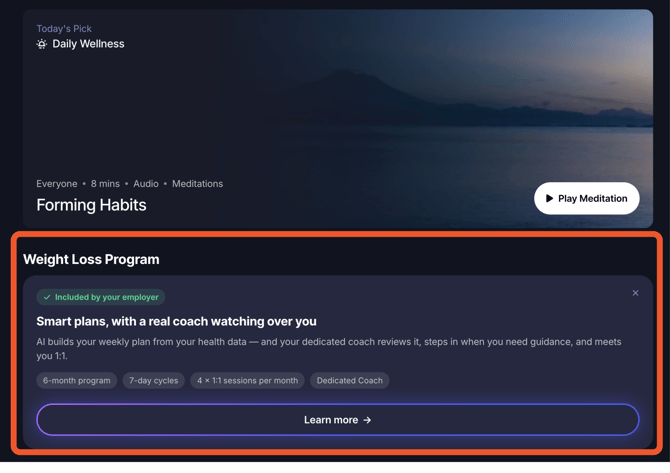
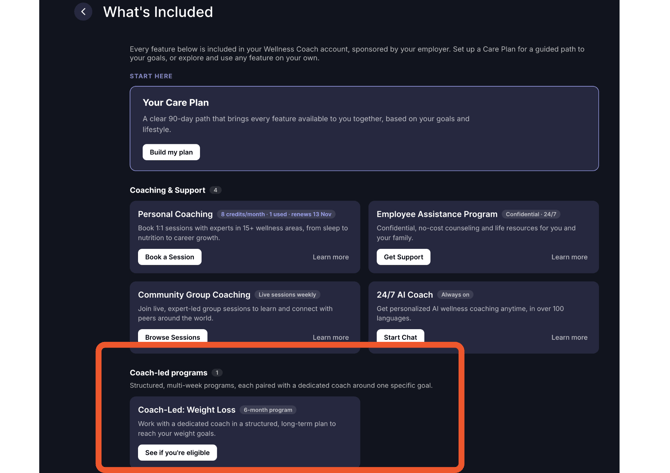
2. Or Benefits page: go to Your Profile→ Explore Wellness Coach → Weight Loss Program.
You can also click here to go to your Explore Page.
Step 2: Learn about the program
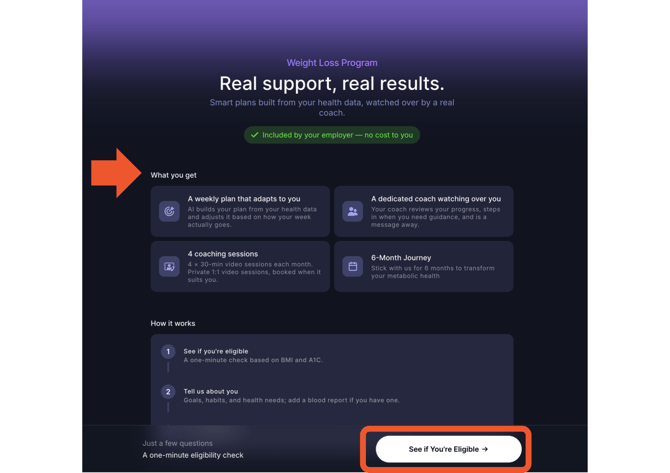
Learn the details about the program, like what you get and how it works. Once you are ready. Click on See if you are eligible.
Step 3: Check your eligibility
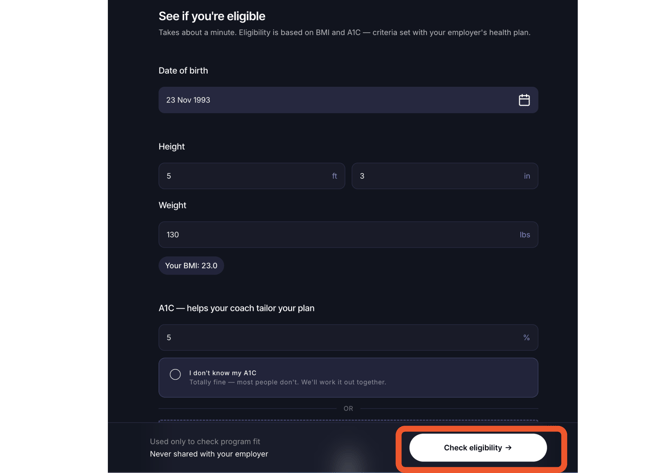
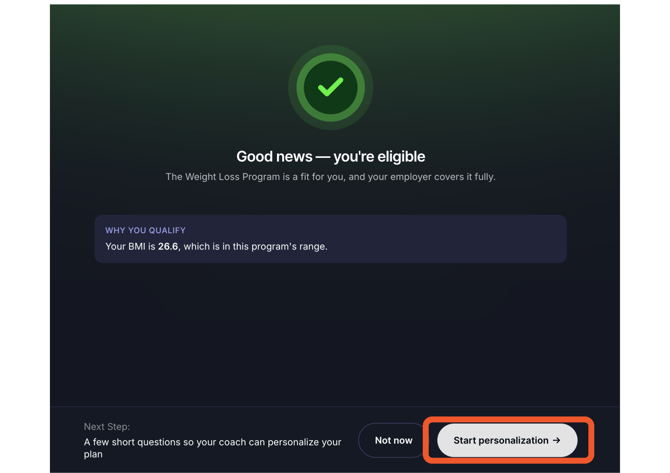
Tap See if you’re eligible and enter your height and weight. We’ll calculate your BMI and check it against your company’s program requirements.
- If you qualify, you’ll move to the next step.
- If you don’t qualify, you’ll see a message that the program isn’t the right fit for you right now. You can keep using your other Wellness Coach benefits.
Step 4: Review how your data is protected
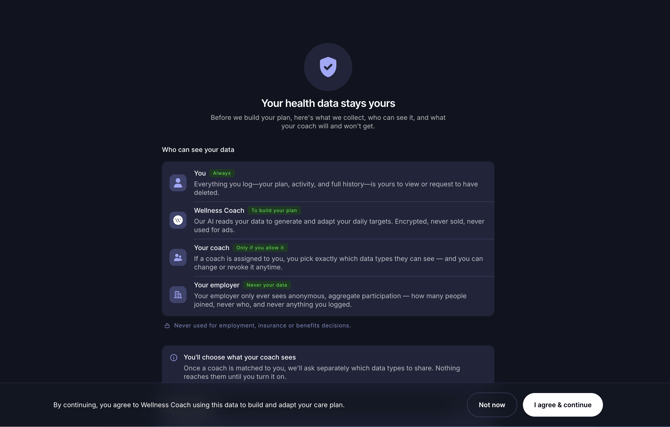
Before we build your plan, you’ll see how your data is protected:
- You can always see your data and ask us to delete it.
- Wellness Coach uses it only to build your plan. It’s encrypted and never sold or used for ads.
- Your coach sees only what you choose to share. You can change this anytime.
- Your employer never sees your data, only anonymous totals.
Tap I agree & continue to build your plan.
Step 5: Personalize your plan
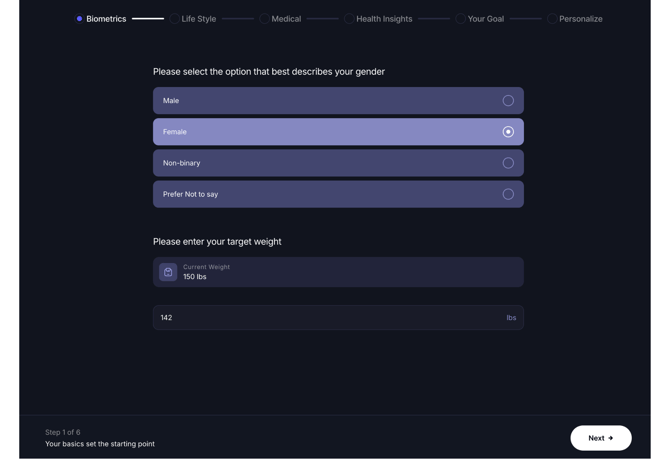
Choose Personalize to set your target weight and answer a few questions about your preferences, such as: Biometrics, Lifestyle, Medical, Health Insight, Your Weight Goal.
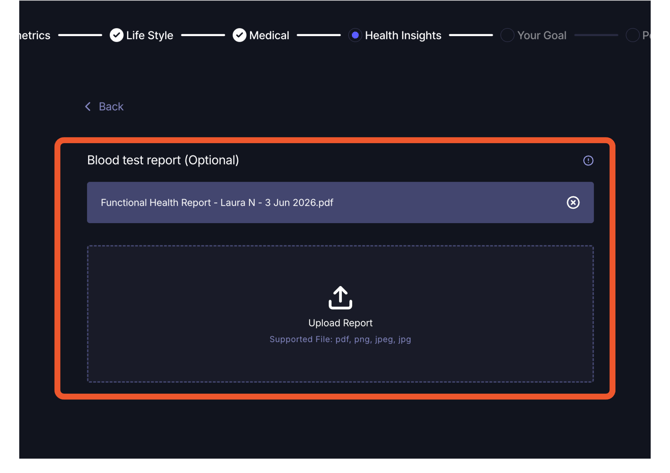
Note: Important: This questionnaire lets you upload your blood test results. If you have them, we highly recommend adding them. They help your coach and our AI build a plan that’s fully personalized to you, and at the end you’ll see your progress in other areas of your health, not just on the scale.
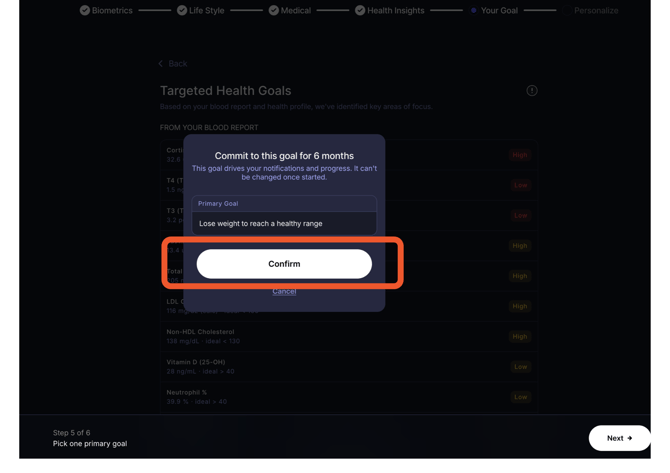
Step 6: Confirm
When you tap Confirm, you commit to this goal for 6 months. Your goal shapes your notifications and how your progress is tracked, and it can’t be changed once you start.
Not ready yet? Tap Cancel and come back when you are.
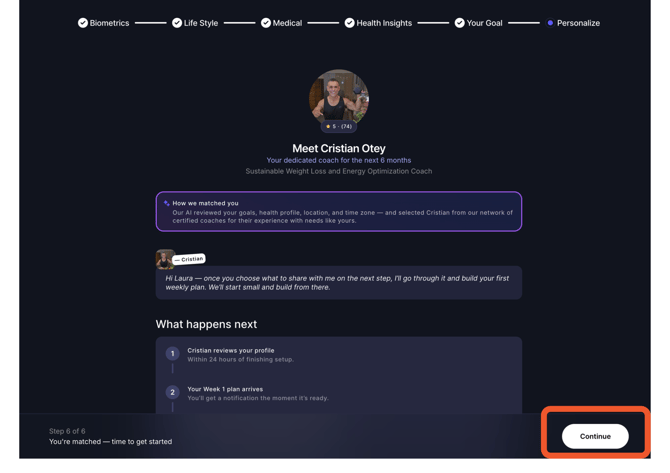
YOU ARE ALL SET UP TO START YOUR JOURNEY!
You’re matched! Our AI looks at your goals, health profile, location, and time zone, and picks a certified coach with experience helping people like you. Your coach will support you for the next 6 months.
What happens next:
- Your coach reviews your profile within 24 hours after you finish setup.
- Your Week 1 plan is now on your home screen.
Tap Continue to choose what you’d like to share with your coach.
Note: Choose what your coach can see
Pick the data you’d like to share with your coach. The more you share, the more personalized your plan and guidance will be. Your coach sees nothing until you turn it on, and you can change your choices anytime.
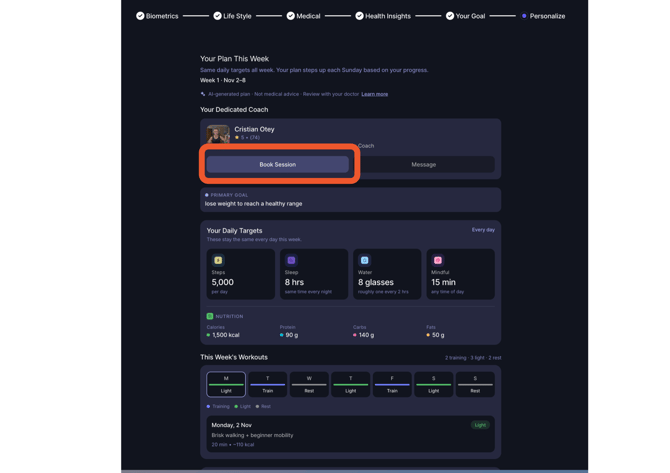
Book your first coaching session right away!
Your plan includes 4 coaching sessions per month, so you can meet with your coach about once a week. That weekly check-in is where the real change happens. Unused sessions don’t carry over to the next month, so use them all.
Important: Always book from your program page. Tap Book Session under Your Dedicated Coach. If you book through Personal Coaching, the session uses your regular Personal Coaching credits instead, even if it’s with the same coach.
What happens next: making your program a success!
4 Best Practices to make this program a success:
-
Complete and track daily tasks: If your health app is synced with Wellness Coach, it automatically tracks your steps, sleep, activity, and calories burned, so your daily goals check themselves off. Haven’t synced yet? Learn how here.
-
Log your meals: Logging your meals keeps your calorie and macro goals up to date. It also helps your coach and your weekly plan adjust to what you actually eat. Learn how to log your meals.
-
Your Dedicated Coach: Make sure to book your first session. From there, the journey will be easier, since you will have 1:1 dedicated support with up to 4 coaching sessions. month.
-
Commit to the 6 months: This program takes commitment, and that’s what makes it work. Over 6 months, you build habits that stay with you. Members of our community have reached health goals they’d never reached before, and they’ve kept their weight off because of the habits they built. Show up every day, lean on your coach, and trust the process.
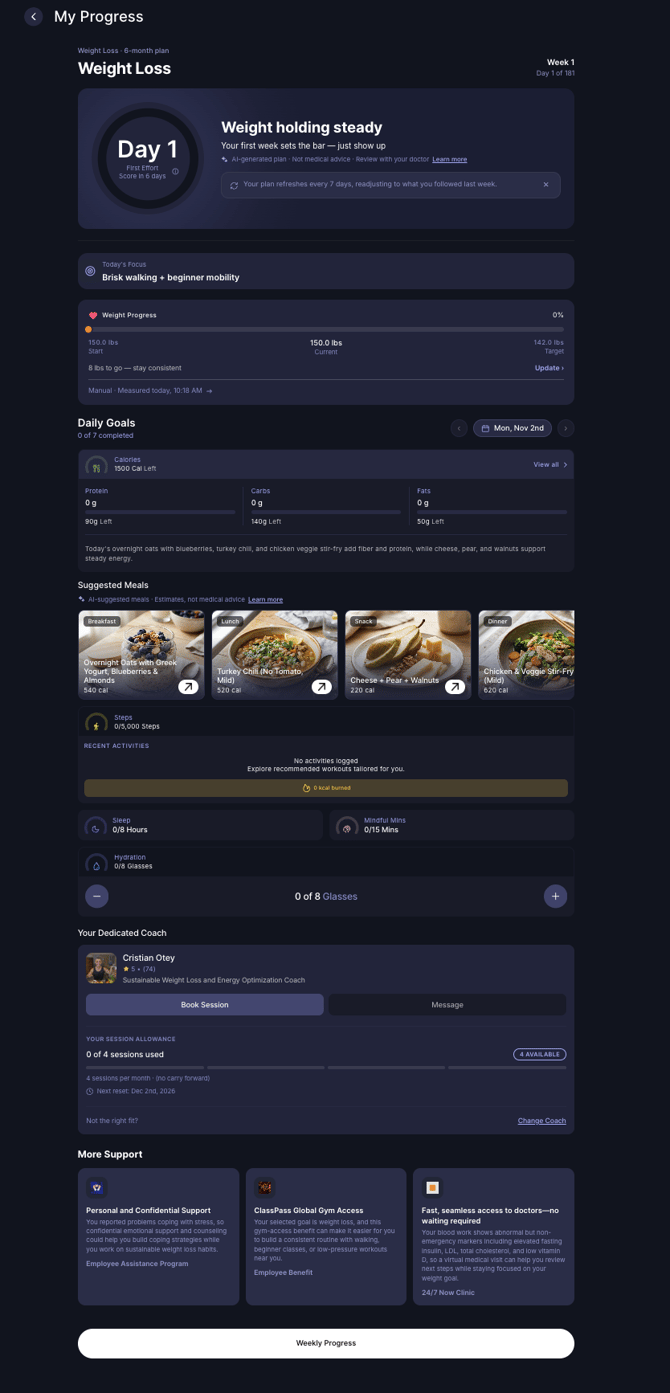
Understanding the MY PROGRESS page under the Weight Loss Program:
- Your journey at a glance: see which week and day of your 6-month plan you’re on. After your first week, you’ll get your first Effort Score.
- Your plan updates every week: every 7 days, your plan adjusts based on what you followed the week before.
- Weight Progress: see your starting, current, and target weight. Tap Update to log your latest weight.
- Explore Suggested Meals: breakfast, lunch, a snack and dinner, picked to match your preferences and daily targets.
- Your Dedicated Coach: book sessions, send messages, and see how many sessions you have left this month.
- Explore More Support: other Wellness Coach benefits recommended for you, based on your health profile.
- Weekly Progress: a look back at how your week went.
Support
Live Video Support
Schedule a live support session with our team for real-time, face-to-face help whenever you need it.
Learn more about how to book
[Book live support]
Email Support
Reach out to support@wellnesscoach.live for assistance. This contact is also available directly inside the app. Responses may take up to 24 hours.
[Email us]